Open the Play Store right now and type "forex signals". Go on. You'll get a wall of apps with names like Golden Pips Pro and FX Signal Master, most with a suspiciously round 4.8 rating, all promising 90% accuracy from an anonymous developer whose privacy policy is a broken link. Somewhere in your search for the best forex signals app, you've probably installed one of these. Maybe two. And then uninstalled them a week later when the "VIP upgrade" popups started.
Here's the thing nobody selling those apps will tell you: the traders who actually follow signals for a living don't use a dedicated signals app at all. They use a stack. A messenger to receive the signal, a trading platform to execute it, and a calculator to size it. Three apps, all free, all boring, all already sitting in the app store with millions of legitimate reviews.
This article is a tour of that stack — what to install on Android and iPhone, how to configure each piece so a signal at 2 a.m. doesn't slip past you, and how to spot the app-store rubbish in under ten minutes so you never waste another install on it. We run a gold signal service ourselves, so we watch hundreds of people set this up every month. The ones who get it right spend about an hour on setup, once. The ones who get it wrong are still asking why their fills are 40 pips worse than the channel's.
The uncomfortable truth about app-store "signal apps"
Let's start with why the obvious answer is the wrong one.
A dedicated signals app sounds sensible. One icon, signals arrive inside it, maybe a little chart, maybe a performance page. The problem is what these apps actually are underneath. In almost every case, one of three things:
- A marketing funnel with a chart on top. The free signals are bait — deliberately vague, often posted after the move — and every screen nudges you toward a $200 "VIP" tier or an affiliate broker link. The app exists to convert you, not to inform you.
- A reskin of someone else's feed. There are white-label kits that let anyone publish a "signals app" in a weekend. The developer buys signals from an anonymous source (or scrapes free Telegram channels), wraps them in a template, and ships forty near-identical apps under forty names. When one gets bad reviews, it dies and respawns with a new icon.
- A data harvester. The nastiest category. Asks for your broker login "to sync your trades", or requests notification access it doesn't need, and monetises whatever it collects. We'll come back to permissions later, because this one can actually cost you money rather than just wasting your time.
The structural problem is accountability. A Telegram channel with three years of message history can't quietly delete its losing calls without subscribers noticing the gaps — people screenshot things. An app with a self-reported "win rate: 92%" widget can show you literally any number, backed by nothing, and rewrite it tomorrow. There is no message history to check. No timestamps you can verify. Just a dashboard the developer controls entirely.
Are there exceptions? A handful. A few established services ship a genuine companion app, and if a provider you already trust for other reasons happens to have one, fine. But as a discovery mechanism — as a way to find signals — the app stores are close to worthless. The ranking algorithms reward downloads and review-farming, not honest trading records. If you want to know what a trustworthy provider's track record actually looks like, and the questions to ask before following anyone, we've written a full piece on how to choose a signal provider. Read that before you subscribe to anything, app or otherwise.
The short version: stop searching for the best forex signals app as a single product. It doesn't exist. Build the stack instead.
The best forex signals app is actually three apps
Every serious signal follower's phone, whether it's a battered Samsung or the latest iPhone, ends up with the same three-part setup:
Telegram (or occasionally Discord) receives the signals. This is where nearly every legitimate provider publishes, because the message history is permanent, timestamped, and public. Ours included — our own channel posts entries, stops, and targets on gold, and every closed call ends up on a public results page with the losers left in, which is the standard any provider should meet.
MT4 or MT5 mobile executes the trades. MetaQuotes' official apps are free, connect to essentially every retail broker on the planet, and support the pending orders you need to execute signals properly rather than chasing price with market orders.
A position size calculator does the one job that separates people who survive from people who don't: converting "stop loss 30 pips away" into an actual lot size for your account balance and your risk percentage. The provider can't do this for you. They don't know your balance.
That's the core. Some people bolt on a fourth piece — a copier app that reads the Telegram channel and places trades automatically — and we'll cover those honestly, including why we're lukewarm on them for smaller accounts.
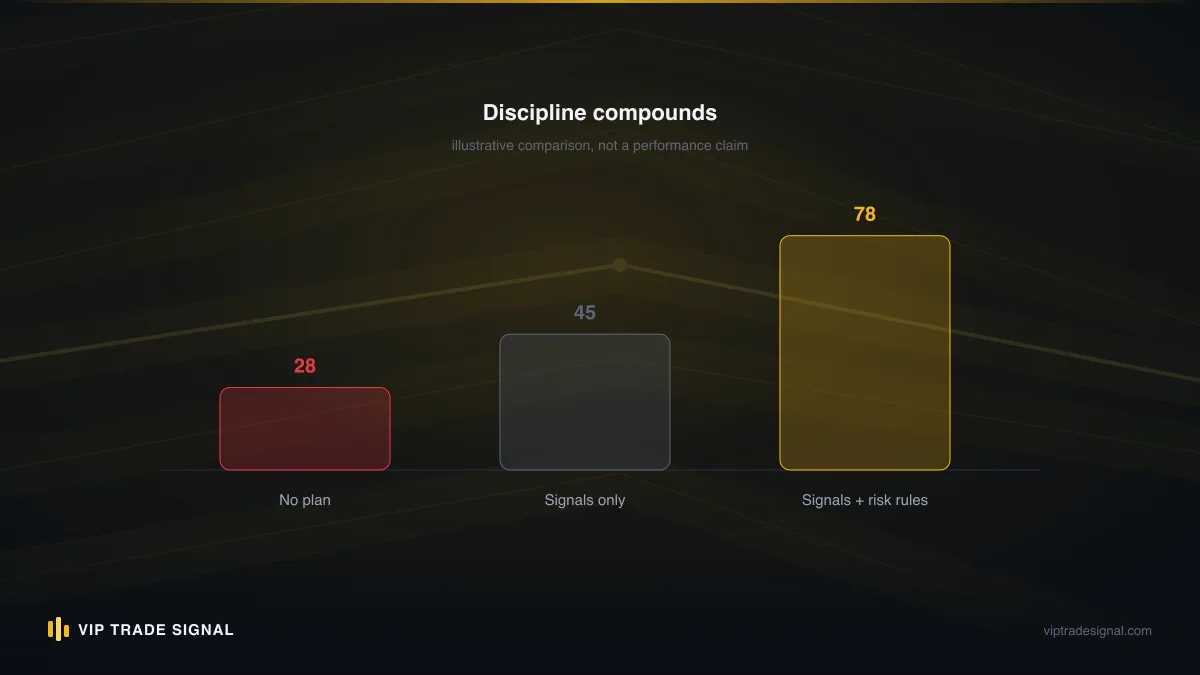
Notice what's missing from the stack: charting apps, news apps, sentiment widgets, the seventeen other things trading influencers tell you to install. If you're following signals, someone else is doing the analysis — that's the whole arrangement. Your job is reception, sizing, and execution. Three apps cover it. Anything else on your home screen is entertainment, and entertainment is where impulse trades come from.
One more thing before we configure each piece. The stack is identical whether your provider covers thirty forex pairs or, like us, a single market. We only trade gold — XAU/USD, nothing else — and gold's habit of making its biggest moves during the London–New York overlap actually makes mobile setup more important, not less, because those hours may be lunchtime or midnight depending on where you live. If you follow a gold channel, it's worth knowing when gold actually moves so your notification settings match the market's schedule rather than your own.
Telegram as a signal app: setup done right
Telegram is, functionally, the best forex signals app ever made — which is funny, because it wasn't made for that at all. The properties that matter fell out of it being a good messenger: permanent history, exact timestamps, instant delivery, channels that anyone can audit by scrolling up. Providers can't easily doctor the past, and that alone puts it above every dashboard app in the store.
But the default configuration is terrible for signal following. Out of the box, a signal from your provider gets the same gentle "ding" as a meme from your cousin, and both get buried under whatever group chat is busiest. Fix that in the first ten minutes:
Give the signal channel a custom notification sound. Open the channel, tap the name, Notifications, and pick a sound you use for nothing else. Something obnoxious. The goal is that your brain learns that sound means money is moving before you've even looked at the screen. On Android you can go further and assign a genuinely distinct tone; on iPhone you're choosing from Apple's list plus any tones you've added, which works fine.
Pin the channel to the top of your chat list. Long-press, pin. Sounds trivial. It isn't — during a busy day the channel drops below twenty other conversations exactly when a stop-loss update arrives.
Exempt Telegram from battery optimisation (Android). This is the single most common reason Android users miss entries. Settings → Apps → Telegram → Battery → Unrestricted. Aggressive battery managers on Samsung, Xiaomi, OnePlus and friends will happily freeze Telegram in the background and deliver your entry alert forty minutes late, at which point the trade is gone. Xiaomi's MIUI is the worst offender we see; there's a separate "Autostart" toggle buried in its security app that also needs enabling.
Turn off notification previews for other apps during trading hours, not Telegram's. Most people do this backwards. They mute everything including the one channel that matters. Use your phone's focus/do-not-disturb modes to let Telegram through while silencing the noise.
And a habit rather than a setting: when a signal lands, read the whole message before touching your platform. Entry, stop, targets, any conditions ("only valid above 3,340", "cancel if not filled by NY open"). Half the execution errors we see come from someone acting on the first line of a message while the third line invalidated it. Ten extra seconds of reading is the cheapest risk management there is.
A quick word on scam hygiene, because Telegram's openness cuts both ways. The moment you join any public trading channel, clones of that channel's admin will DM you. Ours get impersonated weekly. No legitimate provider DMs you first, asks you to "activate" anything, or requests a deposit through a personal contact — that pattern is a scam every single time, and it's worth saying out loud because the people who fall for it are usually careful people caught on a busy day.
MT4/MT5 mobile: executing signals properly
Receiving the signal is the easy half. Execution on mobile is where the pips leak out, and where a bit of setup pays for itself daily.
First, use the official MetaTrader apps from MetaQuotes — MT5 if your broker supports it (most do now), MT4 if not. Log in with the credentials your broker emailed you, and check the server name character-for-character, because most brokers run several and the wrong one gives you an "invalid account" error that support forums have been explaining for a decade.
Then learn the difference between the two ways to enter a trade, because it changes how you handle every signal:
Market execution buys or sells now, at whatever price is available. Fine when the signal says "buy gold at market" and price is still within the stated zone. Terrible when you're opening the app fifteen minutes late and price has already run 200 points past the entry — chasing a gold move that's already happened is how a decent signal becomes your losing trade even while it wins for everyone else.
Pending orders — buy limit, sell limit, buy stop, sell stop — sit at a price you choose and fill only if the market comes to them. When a signal gives a zone ("sell 3,352–3,356"), a pending order placed at your level fills you at that level whether you're watching or asleep. For anyone following signals part-time around a job, pendings aren't an advanced feature. They're the whole method. Set the order, set the stop and target in the same ticket, close the app, live your life.
In MT5 mobile the workflow is: Quotes tab → tap the symbol → New Order → switch the order type from "Market Execution" to the pending type you need → fill in price, stop loss, take profit, volume → place. Thirty seconds once it's familiar. The critical discipline is that stop loss and take profit go in the same ticket as the entry, every time. Not "I'll add the stop once it fills". Gold has spiked $15 in the time it takes to make tea. A position without a stop, on a metal that can move 3% in a session, is not a trade — it's a donation waiting for a headline.
Two smaller settings worth a minute each. Enable one-click confirmation off — you want the confirmation dialog, because fat-fingering 1.0 lots instead of 0.10 on a phone keyboard is a real and recurring tragedy. And add only the symbols you trade to your Quotes screen; a follower of a gold-only service needs exactly one symbol there, and an uncluttered screen is faster under pressure.
Copier apps: bridging Telegram to your platform
Now the tempting shortcut. Telegram-to-MT4/MT5 copiers are apps or services — Telegram Signals Copier, TelegramFxCopier, and a dozen similar names — that parse the text of a signal message and place the trade on your account automatically, usually within a second or two. Auto trading forex signals on MT5 without lifting a finger. Sounds ideal. Sometimes is.
Here's our honest read after watching plenty of subscribers run them.
Where copiers genuinely earn their keep: you're asleep or working when signals fire, your provider posts at consistent, parseable formats, and your account is large enough that the subscription (typically $20–50 a month, some with lifetime licences around $200–300) is a rounding error. Executing within seconds matters more on fast markets — a gold breakout signal filled 90 seconds late is routinely 100+ points worse — and a well-configured copier beats any human on latency, every time.
Where they go wrong: parsing. A copier is a text parser wearing a trading hat. If the provider writes "SL 3,318" one day and "stop: 3318" the next, or posts an update as a reply rather than a fresh message, the parser can miss it — and a missed stop-loss modification is far more dangerous than a missed entry. The horror stories are almost never "the copier didn't open my trade". They're "the provider moved the stop, the copier didn't, and I found out at 6 a.m."
Where they quietly hurt smaller accounts: risk settings. Copiers let you set fixed lots or percentage risk, and the defaults are often absurd for a $500 account. If you run one, set risk per trade yourself — 0.5–1% is the sane range — and cap simultaneous trades. A copier will faithfully open all five signals of a busy day at 2% each, and now you're 10% exposed on one metal without ever touching your phone. Automation removes hesitation, which is the point, but hesitation was also doing some quiet risk management for you.
Our recommendation, unglamorous as it is: follow signals manually for at least your first month with any provider. You'll learn their format, their update habits, their rhythm — exactly the knowledge you need to configure a copier safely. Then automate if the latency genuinely costs you money, not because tapping a phone feels like work. And run any copier on a VPS or an always-on machine rather than your phone; a copier that dies when Android hibernates it is worse than no copier, because you believe you're covered.
Push notification hygiene: never miss an entry
The difference between a profitable month and a frustrating one, for a signal follower, is often nothing more than which alerts arrived and which didn't. So treat notifications as infrastructure.
The failure modes, in order of how often we see them:
- Battery optimisation killed the messenger (Android, covered above — it's worth checking again after every major OS update, because updates love resetting these toggles).
- Focus modes swallowing alerts (iPhone). iOS Focus is powerful and merciless. If your Sleep focus doesn't whitelist Telegram, a 3 a.m. stop-adjustment on gold simply doesn't ring. Settings → Focus → Sleep → Allowed Apps → add Telegram. Do the same for Work focus if signals fire during your office hours.
- Notification summaries (iPhone again). Scheduled Summary batches "non-urgent" notifications for later delivery, and iOS's idea of non-urgent is not yours. Exclude Telegram from it entirely.
- The channel got muted by accident. A thumb brushes "Mute for 8 hours" and the day goes quiet. If a channel that normally posts daily has been silent, open it and check rather than enjoying the peace.
- MT5's own trade notifications not enabled. The platform can push you fill confirmations, stop-outs and target hits via MetaQuotes ID (Settings → Chat and Messages in the app shows your ID; enter it in the desktop terminal's notification settings if you run one, or just enable push in the mobile app). A fill confirmation buzzing through means your pending order is live — which is exactly when you want to glance at the trade.
There's an unfashionable backup worth mentioning: some providers, us included, will tell you the service works fine with notifications plus a couple of scheduled check-ins rather than constant vigilance, because pending orders carry the timing burden. Set the order when the signal arrives; the market does the waiting. If your setup requires you to react within ninety seconds or lose the trade, and you have a job or a family or a sleep schedule, either automate with a copier or accept you'll trade only the signals that land in your waking hours. Both are fine. Pretending you'll wake for every alert is not.
A signal you didn't see isn't a signal. Until the alert reliably reaches you, nothing else in your setup matters.
Test the whole chain once a week: phone locked and idle, someone messages you on Telegram, alert lands within seconds. If it doesn't, something regressed. Two minutes of testing beats discovering the problem via a missed entry.
Android vs iPhone: the differences that actually matter
Nine-tenths of this setup is identical on both platforms, and anyone claiming one phone makes you a better trader is selling something. But a few differences genuinely change the workflow.
Android's advantage is background freedom — once you tame the battery manager. Copiers, custom alert tones per channel, apps that read notifications to trigger automations: Android permits all of it. The cost is that every manufacturer skins Android with its own aggressive power management, so reliability is something you configure rather than something you get. A Pixel behaves; a heavily-skinned budget phone needs the full battery-exemption treatment and a weekly test.
iPhone's advantage is that notifications just work — Apple's push infrastructure is centralised and dependable, and there's no manufacturer power-manager eating your alerts. The costs: no proper background apps, so phone-based copiers are effectively off the menu (iOS copier users run the copier on a VPS and use the phone purely for monitoring, which is honestly the right architecture anyway), and Focus modes silently eating alerts until you whitelist correctly.
App availability is a wash for the core stack — Telegram and MT4/MT5 are first-class on both. The sketchy-app problem is worse on the Play Store because publishing there is cheaper, so Android users need sharper scam radar; Apple's review filters some rubbish, but plenty still slips through dressed as "education" apps.
One iPhone-specific quirk: in 2022 Apple briefly pulled MT4 and MT5 from the App Store, and although they returned in 2023, users who deleted the apps during that window learned an uncomfortable lesson about depending on a single storefront. Keep your broker's web terminal bookmarked as a fallback on any platform. You'll use it once a year. That once matters.
If you're choosing a phone for this — don't — a well-configured mid-range Android and a well-configured iPhone are indistinguishable in results. The trader holding the phone remains the variable that matters.
Evaluating any signal app in ten minutes
Sooner or later a mate sends you a link — "this app's signals are unreal" — and you want a fast, repeatable way to judge it. Here's the ten-minute test we'd run on anything, including ourselves.
Minute 1–2: find the humans. Who runs it? A company name you can search, a registration, a support channel with actual response times? Anonymous developer account with one app and a Gmail address: close the tab. Legitimate services survive being known.
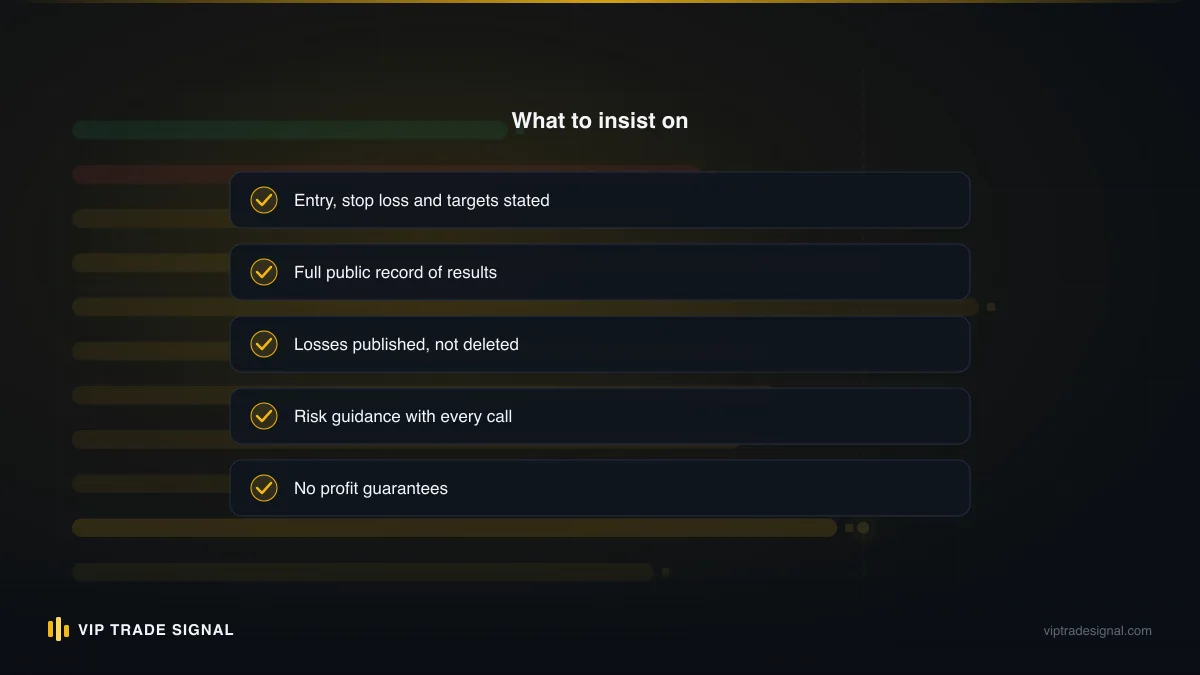
Minute 3–4: find the losses. Go looking specifically for losing trades in their published record. Not the win rate — the losses. Every real trading record has them, visibly, with dates. A history showing 96 wins in a row is not a good sign; it's the bad sign, because it means the record is curated or invented. If results live only inside the app's own dashboard with no external, timestamped trail (a public Telegram history, a third-party verification like Myfxbook for managed accounts, a public page of closed calls), treat the numbers as decoration.
Minute 5–6: read the pricing like a sceptic. Where does the money actually come from? A clear subscription is fine. "Free" with relentless pushing toward one specific broker means you're the product and the broker's rebates are the revenue — which can still be a fair deal if it's disclosed (we run a version of this ourselves, openly: $99/month, or free if you trade with a partner broker keeping $250+ in the account), but undisclosed, it tells you the signals exist to generate your trading volume, not your profit. There's a wider piece on how broker-funded signal arrangements work and when they're worth taking.
Minute 7–8: check what the signals contain. A real signal has an entry (or zone), a stop loss, and at least one target — enough to compute your risk before you commit. "BUY GOLD NOW 🚀" with a screenshot of someone's profit is not a signal, it's an advert. If the sample signals are vague, the paid ones will be too.
Minute 9–10: read the worst reviews, not the best. Sort reviews by lowest first. Farmed five-star reviews all sound alike ("Best app! Very profit!"); genuine one-star reviews contain specifics — missed stops, ignored refund requests, bait-and-switch pricing. Three detailed complaints describing the same failure beats three hundred generic raves.
Anything that fails two or more of these, walk away. There is no signal source good enough to justify ignoring red flags this basic, because the entire value of a signal depends on the integrity of whoever sends it.
Permissions and security: what a trading app should never ask
This section is short and blunt because the rules are absolute.
No app other than your broker's own platform ever gets your trading password. A signal app asking for MT4/MT5 credentials "to track your performance" or "to auto-copy trades" is asking for the keys to your money. Legitimate copiers do connect to your account — but reputable ones use the investor password where read-only access suffices, or run as an EA inside your own terminal, and you should understand exactly which before typing anything. If you ever hand over the master password for account management, it should be to a service you've contracted with deliberately, where you keep the master password's control and the ability to withdraw — that's how we structure our own managed accounts, and anything looser than that standard should scare you.
Beyond credentials, the permission requests that should end the installation immediately:
- Accessibility services (Android) — grants the app the ability to read your screen and act on your behalf across every other app, including your banking apps. No signal app needs this. Copiers that request it deserve extreme scrutiny; malware loves it.
- Notification access beyond its own — an app that reads other apps' notifications can read your 2FA codes as they arrive.
- SMS permissions — same problem, worse. Your one-time passcodes travel by SMS.
- Contacts — exists solely so the app can spam your friends or sell the list.
- Installing from "unknown sources" — any signal seller distributing an APK outside the Play Store is bypassing the only review process that exists. Whatever the stated reason, decline.
Add the boring fundamentals: 2FA on Telegram (Settings → Privacy → Two-Step Verification — do it today, hijacked Telegram accounts get used to scam channel members in your name), 2FA on your broker portal, a password manager, and never trading over airport Wi-Fi without a VPN. None of this is exciting. Neither is being drained.
And a scam pattern specific to our corner of the market, gold signals, worth naming: fake "account managers" who take your login "to trade for you", show you a week of screenshot profits, then vanish along with a withdrawal that never lands. The tell is always the same — urgency, secrecy, and a request that control of your money move toward them. Real services are structured so control stays with you.
Lot size calculators: the least glamorous app on the list
If we could force one extra install onto every signal follower's phone, it wouldn't be a charting package. It would be a position size calculator, and the reason is arithmetic most people skip.
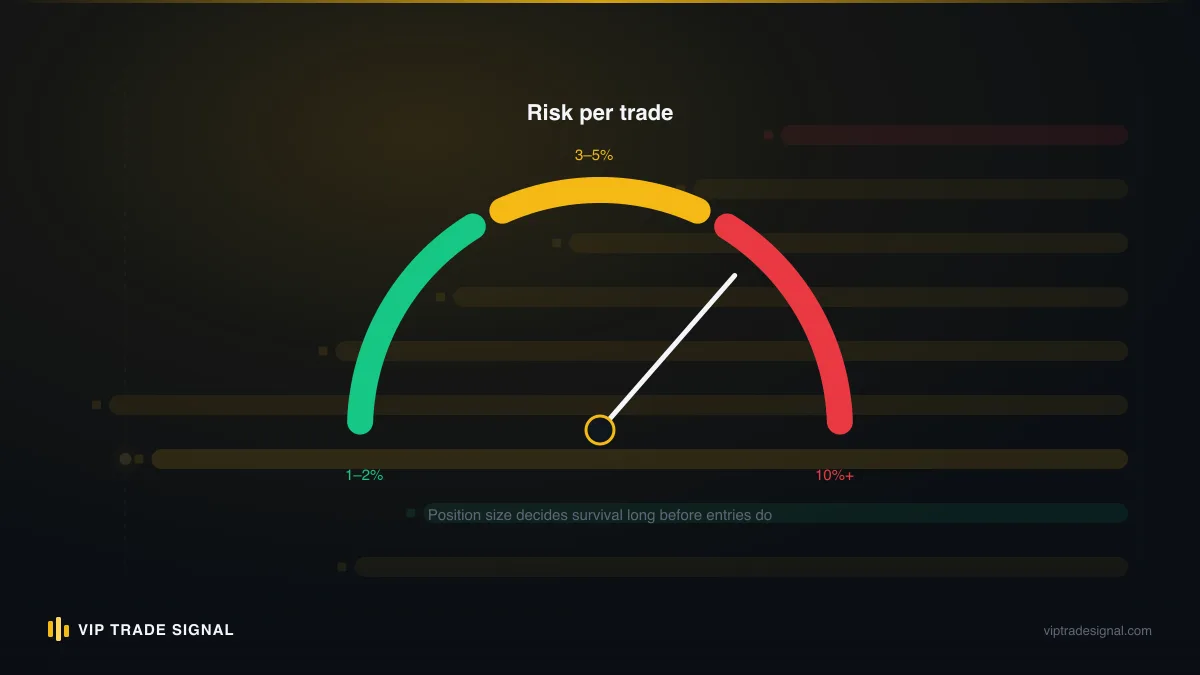
A signal tells you entry and stop. It cannot tell you lot size, because lot size depends on your balance and your risk tolerance. Say you're following a gold signal: sell at 3,352, stop at 3,364 — a $12 stop distance. On XAU/USD, one standard lot moves about $100 per $1 of price movement, so that stop is $1,200 of risk per lot. A $2,000 account risking 1% has $20 to spend on this trade. Twenty dollars into twelve hundred: 0.016 lots, which rounds to 0.02 with most brokers, putting actual risk at $24, or 1.2%. That's the entire calculation, and it changes with every signal because stop distances change.
Nobody does this in their head reliably at 7 a.m. So install one of:
- Myfxbook's app (Android/iOS) — includes a clean position size calculator among its tools, from a company that's been around forever.
- A standalone forex calculator app — several competent ones exist; pick any with good reviews that handles XAU/USD correctly (check it knows gold's contract size — some cheaper calculators assume currency pairs only and give you answers that are off by a factor of a hundred).
- Your broker's own calculator — most decent brokers host one on their website; bookmark it as a fallback.
Then make the habit mechanical: signal arrives → calculator → lot size → order ticket. Every time, even when the number "feels" obvious. Followers who blow up on good signals almost always die by sizing, not direction — doubled lots after a loss, 5% risk on a conviction call. The calculator's real function isn't arithmetic. It's that the fifteen seconds it takes is a speed bump between impulse and execution.
If a signal doesn't include a stop loss, by the way, there is nothing to calculate — which is precisely why providers who omit stops are disqualifying themselves. You cannot size a trade with undefined risk. You can only gamble it.
Our recommended mobile workflow, end to end
Put the pieces together and here's what a clean day looks like for a manual signal follower. Concrete version — a trader we'll call Dan, $3,000 account, follows a gold channel, works a normal job.
07:40, on the bus. Telegram's custom tone fires. Signal: sell XAU/USD 3,355–3,358, SL 3,366, TP1 3,344, TP2 3,331. Dan reads the whole message. No conditions attached.
07:41. Calculator app: balance 3,000, risk 1% ($30), stop distance roughly $9 from the mid of the zone. Comes out at 0.03 lots.
07:42. MT5 app: XAUUSD → New Order → Sell Limit at 3,356.50, SL 3,366, TP 3,344, volume 0.03. Place. Confirmation dialog checked properly — volume especially. Done. Total elapsed: under three minutes, most of it reading.
Through the day. Dan does his job. The pending order does the waiting. If price never reaches the zone, no trade — and no trade is a perfectly good outcome, not a miss to chase. At 13:10 the MT5 push notification confirms the fill. He glances, sees it's behaving, pockets the phone.
16:30. Channel posts "move SL to entry" as TP1 approaches. This is the message the whole notification section exists for. Thirty seconds to modify the position. Breakeven stop set; the trade now costs at most spread.
Evening. TP1 hits, provider says close half or trail — Dan follows the plan he decided on when he subscribed, not a fresh decision invented at 9 p.m. Trade logged in a notes app: date, signal, size, outcome, one line on execution quality. Sunday, ten minutes reviewing the week's log. That's the entire operation.
What's absent from this picture matters as much as what's in it. No staring at charts through meetings. No overriding the signal because a YouTube video felt bearish. No revenge entry after Tuesday's stop-out — and there will be stop-outs, roughly weekly with any honest service, because gold does not care about anyone's win rate and losing trades are a cost of participation, not a malfunction. The stack's job is to make the process so frictionless that following the plan is easier than deviating from it.
For the automated variant, swap steps two and three for a copier running on a $5/month VPS with risk capped at 1% and a hard limit of two open trades, and demote the phone to monitoring. Everything else — the reading, the logging, the Sunday review — stays human. It should.
Setup checklist: your first hour, start to finish
Everything above, compressed into a sequence you can run this evening. Tick them off in order; the whole list is about an hour, and it's an hour you spend once.
- Install Telegram and set up two-step verification immediately (Settings → Privacy and Security → Two-Step Verification).
- Join your provider's channel from a link on their actual website — not from a search inside Telegram, where clone channels outnumber real ones.
- Pin the channel, set a custom notification sound, and confirm previews show on the lock screen.
- Android only: set Telegram's battery usage to Unrestricted; on Xiaomi/Oppo/Vivo, also enable Autostart in the security app.
- iPhone only: exclude Telegram from Scheduled Summary and add it to Allowed Apps in every Focus mode you use, Sleep included.
- Install MT5 (or MT4 if your broker requires it) from MetaQuotes' official listing, log in, and verify the server name matches your broker's email exactly.
- Strip the Quotes screen down to the symbols you'll actually trade, and enable trade push notifications.
- Place one practice pending order on a demo account — full ticket: entry, SL, TP, volume — then cancel it. You want the first real signal to be your tenth time through the screen, not your first.
- Install a position size calculator and run one dummy calculation on your instrument to confirm it handles the contract size correctly.
- Test the alert chain: phone locked, five minutes idle, have someone message you. Alert within seconds or debug now.
- Write down your two numbers — risk per trade and maximum simultaneous trades — somewhere you'll see them. These are decisions you make tonight, calm, not per-trade.
- Read your provider's rules for how they post updates and manage trades; if anything's unclear, ask before money is on the line. (Ours are laid out in the FAQ, including exactly how entries, stops and partial closes get posted.)
Where this leaves you
The search that probably brought you here — best forex signals app — has a real answer, it's just not the answer the app stores want to sell you. The best setup is Telegram configured so alerts actually arrive, MT4/MT5 mobile driven with pending orders and stops in every ticket, and a lot size calculator standing between every signal and every order. Free, boring, and better than anything with "Pips" in its name.
But keep the hierarchy straight. The stack is plumbing. It determines whether a signal reaches you intact and gets executed at the intended price with the intended risk — nothing more. Whether the signals are worth executing depends entirely on the humans sending them, and no app arrangement rescues a bad provider. Judge the source by its willingness to show you its losses; everything else is theatre. Our own record — every closed gold call, red ones included — sits publicly at /signals precisely because that's the standard we think you should hold anyone to, us first.
So: one hour tonight on the checklist. One month executing manually before you consider a copier. One percent risk until the routine is muscle memory. And a permanent, cheerful refusal to type your trading password anywhere a stranger's app asks for it. Get those four right and your phone becomes what it should have been all along — a quiet, reliable pipe between someone else's analysis and your own well-guarded account.