Somewhere right now, a trader is typing his master password into a Telegram chat with a stranger because the stranger promised to "grow the account." That password controls withdrawals to linked methods, security settings, everything. He's about to learn an expensive lesson about how MetaTrader permissions actually work, and he could have avoided it in about four minutes of reading.
This is that four minutes, stretched out properly. If you're considering an MT4 account management service (or the MT5 equivalent, which is where most brokers are pushing new accounts these days), the single most useful thing you can understand is not the manager's strategy, or their track record, or their fee. It's the permission system. What a manager can technically do inside your account is decided by which password you hand over, and MetaTrader has been quietly shipping a rather good answer to this problem for two decades. Almost nobody explains it. Most management services would honestly rather you didn't ask.
We'll walk through the whole machine: the three access levels, how managers actually connect (manual login, copier, MAM), what you can watch live from your own phone while someone else trades your money, the real MT4-versus-MT5 differences that matter for a managed setup, and the sixty-second procedure that ends any arrangement instantly. By the end you should be able to interrogate any managed fx account offer like someone who's seen the back of the machine. Because you will have.
Why MT4 and MT5 became the standard for managed accounts
A quick bit of history, because it explains the present. MetaQuotes released MT4 in 2005, and it spread through retail forex the way spreadsheets spread through accounting. Not because it was beautiful (it has never once been beautiful) but because it did three things at the right moment: it ran on any wheezing Windows laptop, it let anyone write automated strategies in MQL4, and it gave brokers a white-label platform so they didn't have to build their own.
The feature that matters for our purposes was almost an afterthought: the two-password system. Every MT4 account ships with a master password and an investor password, and the investor one is read-only. That single design decision made third-party account management practical for retail traders. Before it, letting someone trade your account meant either giving them everything or signing paperwork with your broker and hoping. After it, there was a middle setting.
MT5 arrived in 2010, was ignored for roughly a decade, and then gained ground when MetaQuotes started leaning on brokers to promote it. It kept the same permission philosophy and refined it; more on the refinement later. Today, when someone offers you a managed fx account, the odds are overwhelming that the account itself lives on one of these two platforms. cTrader exists and has a genuinely nicer interface. Proprietary broker platforms exist. But the ecosystem of copiers, MAM software and manager tooling is built around MetaTrader, so that's where management happens.
There's a second reason the platform became the standard, and it's less flattering: familiarity breeds trust, and trust gets exploited. "It's on MT4, so it's legit" is a sentence scammers love, because the platform being legitimate says nothing about the person trading on it. The platform is a hammer. Hammers build houses and hammers break windows. Keep that in mind for the rest of this article: everything we describe is a capability, and capabilities serve whoever holds them.
The three access levels: master, trade-only, investor
Here is the core of the whole subject, and it fits in a table.
| Access level | Can trade | Can see trades & balance | Can change passwords | Can withdraw / touch broker settings |
|---|---|---|---|---|
| Master password | Yes | Yes | Yes | Via the broker portal it opens, often yes |
| Trade-only access | Yes | Yes | No | No |
| Investor password | No | Yes | No | No |
The master password is the account's crown. Inside the terminal itself it allows trading and password changes; more importantly, at most brokers it's the same credential (or is paired with the portal login) that reaches deposit and withdrawal functions, linked payment methods and personal details. Nobody managing your money needs this. Full stop. Any service that asks for your master password has either not thought about security or is hoping you haven't, and neither is a person you want holding your balance.
The investor password is the opposite pole: pure glass. Someone logging in with it sees every open position, every pending order, the full history, the live equity ticking up and down — and can touch none of it. Its intended use runs in your favour, actually. You give the investor password out when you want to prove a track record to someone, and you keep and use it yourself to watch a manager work, from a second terminal or your phone, without interfering.
Trade-only access is the middle setting and the one that makes an honest MT5 managed account possible. The manager can open, modify and close positions. That's the whole list. No password changes, no withdrawals, no access to the broker back office. On MT5 this is a clean, native concept: you can generate a password whose rights are literally "trading only." On MT4 the same outcome is usually achieved by structural means. The manager connects through a copier or MAM (which we'll get to), or the broker provisions a limited credential, or a Limited Power of Attorney defines the boundary contractually while the platform enforces what it can. Different plumbing, same principle: the person trading your account should hold trading rights and nothing else.
If you retain the master password and the manager holds anything less, the worst-case scenario changes shape completely. A bad manager with trade-only access can lose your money through bad trading, which is a real risk, and we'd never pretend otherwise. A bad actor with your master password can take your money. Those are different universes of problem, and one password tier separates them.
How a manager actually connects: manual login, trade copier, or MAM
Knowing the permission tiers is half the picture. The other half is the plumbing, the three ways a manager's decisions physically become trades in your account.
Manual login is the simplest: the manager opens a MetaTrader terminal, logs into your account with the credentials you provided, and trades it directly, by hand, alongside whatever other accounts they run. For one client, or three, this works fine. The advantages are transparency (every action happens in your account natively, sized to your balance) and simplicity. The drawback is scale; a manager hand-driving thirty terminals is a manager making mistakes by Tuesday. If a service managing hundreds of accounts claims to log into each one manually, be sceptical. Either the number of clients is smaller than advertised or the method is different from described.
Trade copiers solve the scale problem. The manager trades one master account; software watches it and mirrors each trade into connected client accounts within milliseconds, sized proportionally or by fixed rules you can inspect. Copiers come in two flavours: local (an EA running inside terminals on the same machine or VPS) and cloud-based (services where accounts connect via API). The client account still needs trading-capable credentials for the copier to act, which is exactly where trade-only access earns its keep. A copier connected with trade-only rights can mirror trades and do nothing else. There's some latency and occasional slippage between master and client fills, usually trivial on gold and majors, worth asking about on anything fast.
MAM and PAMM are the industrial option: broker-side software (Multi-Account Manager, Percentage Allocation Management Module) that lets a manager place one block order which the broker's server splits across all attached client accounts instantly. No copier lag, and no client credentials handed to the manager at all. You sign an LPOA, the broker attaches your account to the manager's master, and allocation happens at the server. It's clean. It's also more entangled: attaching and detaching goes through the broker's process rather than a password change, and your account's fate is welded to a pooled master. If you want the full comparison of those pooled structures, we've taken it apart separately in our guides to how PAMM accounts work and PAMM versus MAM versus copy trading.
Which is best? For a retail client who values control, there's a strong argument for the individual-account methods, manual or copier, over pooled ones, precisely because the exit is unilateral. You'll see why when we get to revocation.
The LPOA: what that form actually grants
Since MAM setups hang off it, the Limited Power of Attorney deserves two minutes of its own. An LPOA is a broker document in which you authorise a named manager to place trades on your account. Read one properly (most people sign without doing so) and the word doing the work is limited. A well-drafted LPOA grants trading authority and nothing beyond it: no withdrawals, no changes to your personal details, no closing the account, no moving money anywhere. It is the paperwork twin of trade-only access, enforced by the broker's compliance department instead of a password.
Three things to check before signing. First, the scope clause: it should name trading only, and if it mentions withdrawals or transfers in any form, stop and ask the broker directly why. Second, the fee clause: many broker LPOAs include an automatic performance-fee deduction, where the broker calculates the manager's cut and pays it from your account at period end. That can actually be a good arrangement, since the broker does the arithmetic, usually against a high-water mark, and neither side can fudge it. But you want to know it's happening and at what percentage before the first period closes. Third, the termination clause: how you detach, how long it takes, and whether open positions are closed or transferred to you on detachment.
One more distinction worth having straight: the LPOA authorises the manager, not the software. If the manager runs off with the master account or simply stops performing, the LPOA doesn't trap you. You detach through the broker and the authority dies. But unlike a password change, that route runs on the broker's clock and the broker's process, which is exactly the trade-off between MAM convenience and credential-based control we keep circling. Neither answer is wrong. You just want to choose it on purpose.
What you can watch, live, from the investor login
Here's the part that surprises people the first time: handing your account to a manager doesn't mean going dark. Log in with your own credentials, or the investor password on a second device, and MetaTrader shows you the operating theatre in real time.
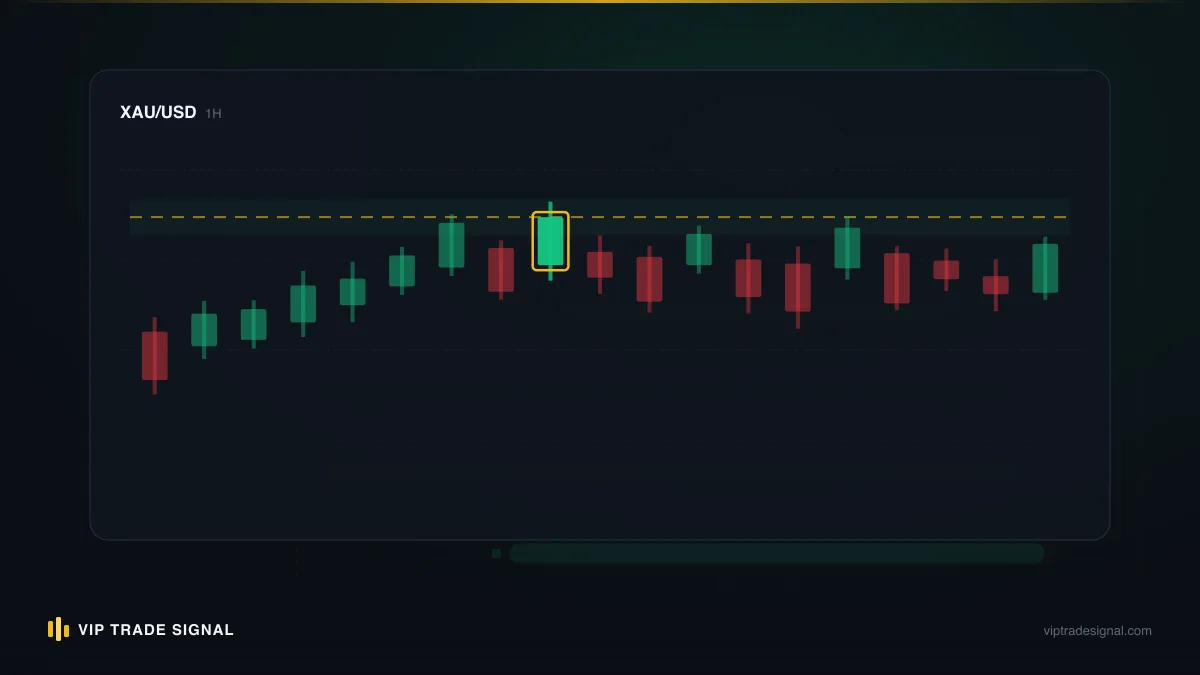
Concretely, from an investor-mode terminal you can see:
- Every open position: instrument, direction, lot size, open price, current profit or loss, and crucially the stop loss and take profit attached to each.
- Every pending order waiting above or below the market.
- Balance, equity, margin and free margin, updating tick by tick. Balance is closed results; equity includes floating positions. When equity sags far below balance, that's floating drawdown, and it's visible to you the moment it exists.
- The full trade history: every closed position with open and close times, prices, and result. Not a monthly PDF the manager curates. The raw ledger.
- The journal, timestamping logins and server events.
Put some flesh on that with a scenario. Say a trader we'll call Priya hands a $4,000 MT5 account to a manager on the first of the month. On the 9th she opens the terminal in investor mode with her coffee. Two gold positions are open: 0.08 lots long from 3,412 with a stop at 3,396, and 0.05 lots from 3,405, stop 3,391. Quick arithmetic: a $16 stop distance on 0.08 lots of gold is $128 at risk, roughly 3.2% of the account, and the smaller one risks about $70. Combined, call it 5% exposed if both stops hit. That's aggressive but coherent, the stops exist, and the sizing tracks the balance. Thirty seconds of looking told her more than any monthly report could. Now imagine the same login showed one 1.50-lot position, no stop, floating $900 against her. Same thirty seconds, opposite conclusion, and time to act while acting still helps.
This visibility is the honest client's best weapon, so use it with a bit of discipline. Check the stops first: does every open position carry a stop loss, and is the distance sane for the lot size? A 2.00-lot gold position with no stop on a $5,000 account is not a strategy, it's a countdown. Check lot sizing against balance: if your $3,000 account is carrying the same absolute position sizes as when it was $6,000, someone is doubling risk to chase losses. Check margin level: sustained readings near the broker's stop-out threshold mean the account is living on the edge of forced liquidation.
And one warning that has saved marriages: watching every tick will make you miserable. Floating losses are part of any real strategy. A position can spend two days red and close green, and if you ring the manager every time equity dips 2% you'll torture both of you. Agree a review rhythm (daily glance, weekly proper look is plenty), then hold to it. The investor login is a smoke alarm, not a television.
MT4 vs MT5 for managed accounts: the differences that actually matter
Plenty of digital ink argues MT4 versus MT5 in general. For a managed account specifically, most of it is noise. A few differences are real, though.
Position accounting. MT4 is a hedging platform: every trade is its own ticket, and you can hold simultaneous longs and shorts on the same pair. MT5 launched netting-only (one aggregate position per instrument) and later added a hedging mode, which most retail brokers now enable by default. Why care? Because strategy style has to match account mode. A manager whose approach layers multiple entries, or hedges around news, needs a hedging account; drop that strategy onto a netting MT5 account and orders start cancelling each other into nonsense. It's a five-second check when the account is opened, and a genuinely painful discovery afterwards.
History depth and reporting. MT5's history and reporting are simply better: richer filters, cleaner exports, and (relevant if you ever verify a manager's claims) fuller server-side records. Third-party verification services like Myfxbook connect to both, but MT5's data plumbing is the more modern of the two.
Permission granularity. As covered earlier, MT5 handles the trade-only concept natively and cleanly. On MT4 the same boundary is drawn with copier architecture or broker-side provisioning. Both get you there; MT5 gets you there with fewer moving parts.
Instruments and brokers. MT5 accounts typically expose more markets: indices, more metals, sometimes equities. For a gold-focused arrangement this barely matters, since XAU/USD trades identically well on either. What matters more is that some brokers now quietly offer better conditions on MT5 to nudge migration.
Our practical verdict: if you're opening a fresh account for management today, open MT5 in hedging mode. Better permissions, better records, no real downside. If you already have a funded MT4 account, don't rush to migrate; a competent manager works fine on MT4, and the copier-based connection pattern is thoroughly mature there. The platform choice is worth five minutes of thought, not fifty.
Setting up management access, step by step
Let's make this concrete. Here is the actual sequence, start to finish, for putting a manager onto your account safely. It takes less than an hour of your time, most of which is broker verification you'd do anyway.
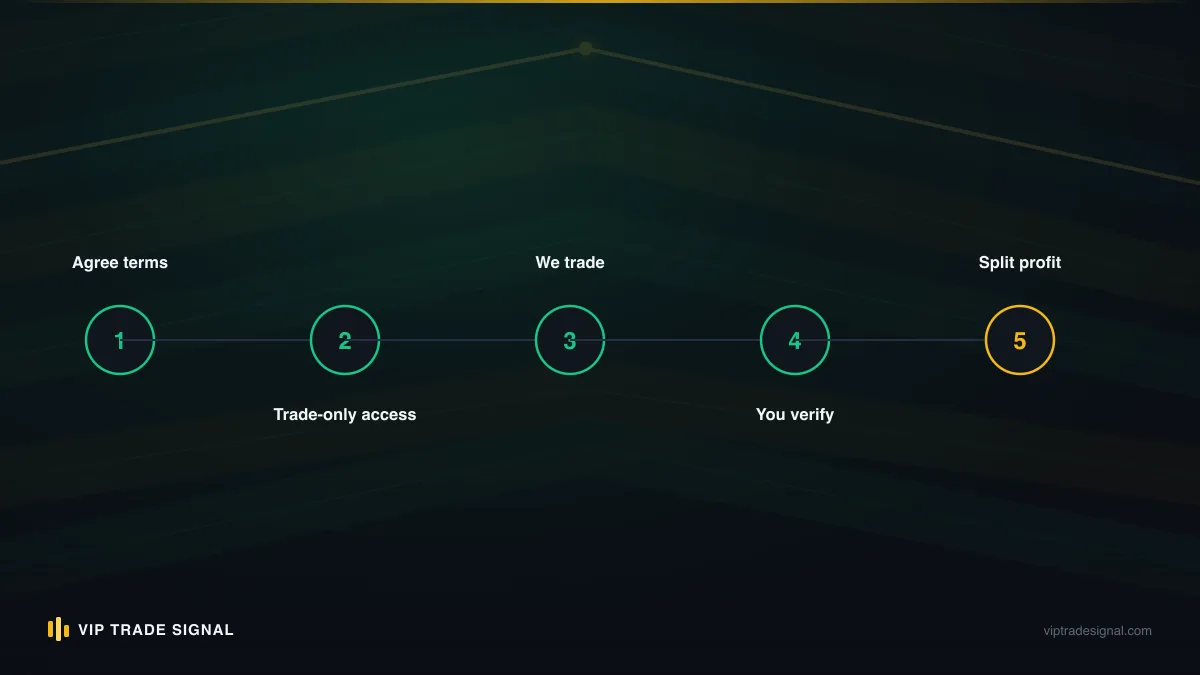
Step 1 — Open (or ring-fence) the account. Use a regulated broker you chose, not one the manager insists on without explanation. If you already trade yourself, open a separate account for management. Every serious broker allows multiple accounts under one profile, and mixing your own trades with a manager's turns the history into unreadable soup, wrecks any profit-share calculation, and lets a copier trip over your manual positions.
Step 2 — Fund it with the amount you actually mean to risk. Not your savings; the sum whose total loss you could absorb without changing your life. Managed or not, this is leveraged trading and losing runs are a certainty, not a possibility. The account balance is your true exposure ceiling. Respect it at funding time and everything downstream is calmer.
Step 3 — Set the master password yourself, and store it yourself. Change it from whatever the broker emailed you. It lives in your password manager and travels nowhere. This step is the entire security model; everything else is detail.
Step 4 — Provision the manager's access. On MT5: in the terminal, open the account details and change/set the trading password, or generate the appropriate credential from the broker portal. The goal is a trading-capable login that is not the master. On MT4, or where the connection runs through a copier or MAM, follow the specific hookup (attach the copier with trading credentials, or sign the LPOA for a MAM attachment), and read what you're granting before you grant it. If any step of any method requires your master password, stop and ask why. The honest answer is that it doesn't.
Step 5 — Confirm your own sight lines. Before the first trade, log into the account from your phone in investor mode and make sure you can see positions, equity and history. Set your review rhythm. Screenshot or note the starting balance and date; a recorded baseline makes every future conversation about performance and fees a matter of arithmetic instead of memory.
That's it. Notice what the sequence never included: sending anyone your broker portal login, your payment details, or control of withdrawals. Withdrawals go one direction only, from the broker to the bank account in your name that funded it.
Revoking access: the sixty-second ending
This section is short because the procedure is short, and that's precisely the point.
If your account connects to the manager through credentials, whether manual login or copier, then ending the arrangement is: log into your broker portal or terminal with your master password, change the trading password, done. Sixty seconds, no permission needed, no notice period the platform can enforce. The manager's terminal disconnects, the copier's link dies, and your account is yours alone again. If positions are open when you pull the plug, you can close them yourself from your own login, so do the deed at a calm moment rather than mid-trade if you can choose.
A managed account you can leave in sixty seconds is an arrangement. One you can't is a hostage situation with a monthly statement.
If your account is attached through a broker-side MAM/PAMM, revocation means a detachment request to the broker instead, usually processed within a day, sometimes at trading-period boundaries. Still entirely your right, just not instant. This asymmetry is, quietly, one of the strongest arguments for credential-based individual management over pooled structures: the exit door is in your wall, not the broker's.
Two housekeeping notes. First, test the door before you need it. Actually change the password once at the start, reissue access, and confirm you know the route, because fumbling through "forgot password" flows while worried about your balance is the wrong time to learn the interface. Second, any manager who reacts to the existence of your revocation power with irritation has told you something important, cheaply. The good ones expect it. It's their industry too; they know what's out there.
Watching from your pocket: the mobile apps
The MetaTrader mobile apps (iOS and Android, both platforms) turn account monitoring from a desk chore into a ten-second glance, and for a managed account they're arguably more useful to you than the desktop terminal.
Log in with the investor password and the app gives you the Trade tab, which shows open positions with live P/L plus equity and margin at the top, along with History with filterable closed trades, and full charts if you want to see where on the chart a position sits. You can't fat-finger a close or accidentally modify a stop, because investor mode can't. That's a feature; monitoring access that physically cannot interfere is the right tool for the job.
Push notifications deserve a mention. The apps can notify on trade events, and some brokers offer equity or margin alerts from their own portals. A margin-level alert is the one genuinely worth configuring. It's the difference between discovering a problem during it and discovering it afterwards. Set one comfortably above the broker's margin-call level and you have an early-warning system that costs nothing.
Two practical wrinkles with mobile monitoring. The apps handle multiple saved logins, so you can keep your managed account in investor mode alongside any account you trade yourself. Just check which login is active before you tap anything on your own account, because the interface looks identical either way. And time zones: MetaTrader displays server time, which for most brokers runs on GMT+2 or GMT+3 to align the daily candle with the New York close. When the history says a trade closed at 23:47, that's server time, not yours. A surprising number of "why was my account traded at 3am?!" panics dissolve on this single fact.
A small habit worth stealing: a fixed weekly ritual, say Sunday evening, ten minutes. Open the app, read the week's closed trades, note the equity figure somewhere dull like a spreadsheet, check that stops still exist on anything open. Fifty-two data points a year, gathered calmly, will tell you more about a manager than any month of anxious tick-watching. It's the same principle behind treating any of this as genuinely passive income, which — spoiler — it never fully is: the trading can be delegated; the paying of attention can't.
Common setup mistakes that create real risk
Years of watching people wire these arrangements up produces a depressingly consistent list. Every one of these is avoidable at setup time and expensive afterwards.
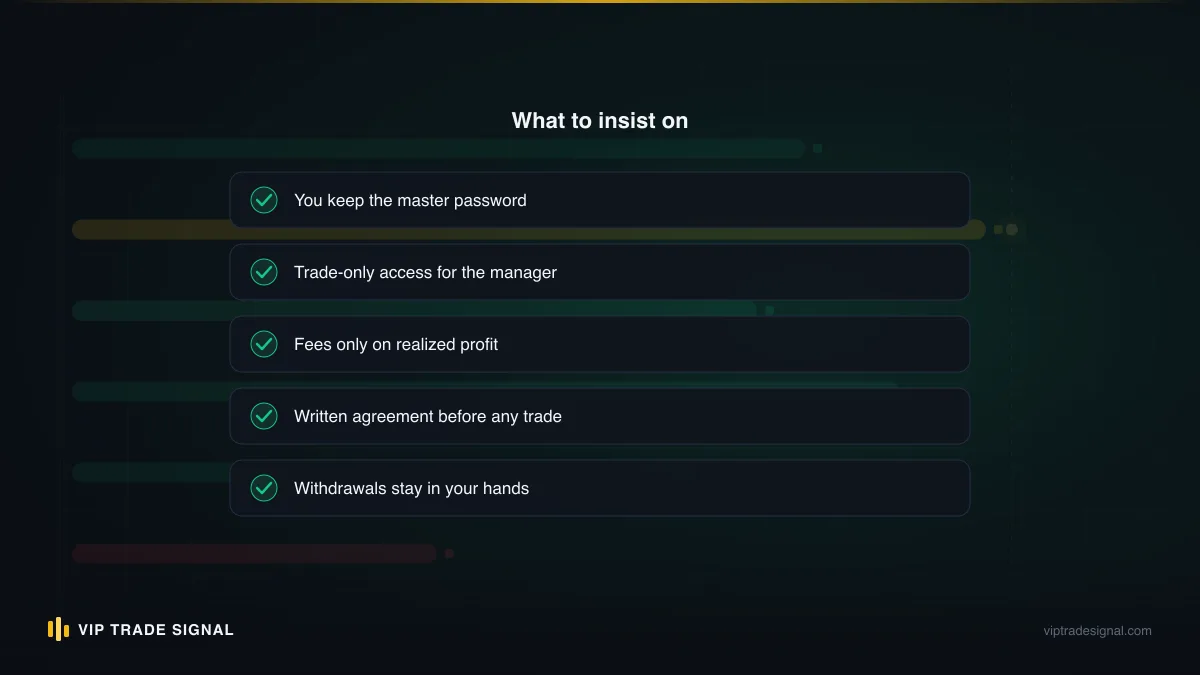
Handing over the master password. The classic, still committed daily, usually because the manager said it was "needed for the setup." It never is. Covered at length above; listed again because it's the one that turns trading risk into theft risk.
Letting the manager open the broker account. If they created the account, they may control the registered email, the portal login and the linked withdrawal method, meaning your "account" is a login they let you look at. You open the account. Always.
No written fee agreement. "50% of profits" is not an agreement; it's an ambiguity. Fifty percent of what, measured when, above which baseline? Realised profit or floating? High-water mark or per-period? Get it in writing before the first trade, with the starting balance and date recorded. Honest managers do this by default because it protects them too.
Skipping the platform-mode check. The hedging-versus-netting mismatch from earlier. Thirty seconds at account opening.
Funding through the manager. Money goes from your bank to your regulated broker, and back from the broker to the same bank. Any arrangement where deposits route through the manager, whether to their "company account," a crypto wallet, or a payment link, has abandoned the entire protective structure this article describes. At that point there is no account management; there's just a transfer to a stranger.
Ignoring the account for months. The permission system limits what a manager can take, not what they can lose. Trade-only access plus zero oversight still allows a slow-motion disaster in plain sight. The investor login only protects the people who look through it.
Treating regulation as someone else's detail. The broker's regulation determines whether your deposit sits in segregated client funds with a real complaints route, or in the void. A perfect permission setup on an unregulated bucket-shop broker is a good lock on a cardboard door.
None of this requires expertise. It requires the willingness to be slightly awkward for one afternoon: to ask blunt questions, insist on writing, and keep the master password when someone confidently asks for it. Cheap insurance doesn't come cheaper.
How our MT4 account management service uses trade-only access
Time to show our own homework, since we've spent four thousand words telling you how to audit people like us.
VIP Trade Signal runs account management on exactly the structure this article describes, because we'd frankly be embarrassed to run it any other way. You open the account at a regulated broker, in your name, funded from your bank. You keep the master password from day one to the end; we never ask for it, and if you offer it we'll tell you to keep it. We trade gold, XAU/USD only, on your MT4 or MT5 account through trading-level access. You watch everything live from your own login while we work.
The fee side is deliberately simple: a flat 50% of realised profit, settled against a recorded baseline, with a $200 minimum advance to start. Yes, 50% sits at the high end of the industry's range. We've said so plainly on the account management service page, and the honest framing is that you're paying for a low minimum and a pay-as-you-go structure with no lock-in, management fee, or percentage-of-assets charge ticking away in losing months. If we don't produce realised profit, the percentage of it is a percentage of nothing. And losing periods will happen; gold is a volatile instrument and no manager on earth escapes drawdowns. Anyone who tells you otherwise is selling the lie this whole article was built to help you spot.
Because the access is trade-only and the exit is the password change, leaving us is the same sixty-second procedure described above. We think that's the right amount of power for a client to hold over a manager: all of it, held constantly. If you'd rather start smaller, our signal side runs on the same transparency logic, with every closed signal public at /signals/history, wins and losses alike, and the VIP-via-broker route makes the signals free with a partner broker balance of $250 or more. The FAQ covers the corners of both. Nothing here is personalised investment advice; we're not licensed advisors, and your situation is yours. But the machinery, at least, should now be fully visible.
The four questions that sort managers in one phone call
Strip everything above down to its working edge and you get four questions. Put them to any prospective manager of a managed fx account, in order, and listen as much to the tone as the content.
- "What access level do you need, exactly?" The only good answer names trading-level access (trade-only credentials, a copier hookup, or an LPOA'd MAM attachment) and explicitly does not include your master password. Hesitation or "just the logins" ends the call.
- "Walk me through how I revoke you." A good manager describes the password change or detachment process fluently and without flinching. They've thought about your exit because they don't fear it.
- "Show me the fee terms in writing, with the baseline defined." Realised versus floating, the measurement period, the high-water treatment. If the numbers only exist verbally, so does the agreement.
- "Where do I watch, and what will I see?" The answer should be your own login or investor mode, everything, live. Curated PDFs and "monthly updates" as the only window are a red flag with a letterhead.
Four questions, maybe ten minutes. Most of the bad operators in this industry fail them by the second one, because their business model depends on clients who never ask. The good ones exist, on both MT4 and MT5, running exactly the trade-only structures described here, and they answer all four before you finish asking, because transparent plumbing is their sales pitch.
The platform gave you the tools twenty years ago. The password tiers, the investor window, the sixty-second exit: they're sitting in the terminal right now, free, waiting for you to use them. Whether you manage with us or with anyone else, use them. The traders who get burned by managed accounts are almost never the ones who understood this machinery and got unlucky. They're the ones who typed the master password into the chat.